
Most video chat sites make you sign up before you can see a single face. OmegaCam does it the other way round: you open the page, tap Start Video Chat, and a few seconds later you are looking at someone who is online right now. Nothing to install, nothing to fill in.
If you want to know exactly what a call looks like, read how OmegaCam works. If you would rather jump in, camera chat online explains the first minute. And if you are not sure your picture is any good, run a quick webcam test first. It takes about as long as brushing your hair.
What Happens When You Tap Start
- Allow the camera. Your browser asks once. Say yes, and you see yourself in a small window.
- Get matched. OmegaCam pairs you one to one with someone who is online. It usually takes a few seconds, longer late at night.
- Talk, or skip. Say hello and see where it goes. Not feeling it? Tap Next and a new face appears.
That is the whole product. There is no profile to build and no feed to scroll. The longer version, including what the free matches cover and what to do if the camera stays black, lives on the step-by-step guide.
Check Your Setup Before the First Hello
Nothing ends a chat faster than "I can't hear you" or a picture that looks like a cave. Three free tools run in your browser, show you what the other person will see and hear, and never record or upload anything.
Webcam test
See your camera live, read its resolution and frame rate, and take a snapshot.
Run the webcam test →Mic test
Watch the level meter move, then record five seconds and hear how you sound.
Run the mic test →Online mirror
Use your camera as a mirror to fix light, angle and background before you connect.
Open the online mirror →Pick How You Want to Meet Someone
There are two ways in, depending on what you came looking for.
A Few of the People on OmegaCam
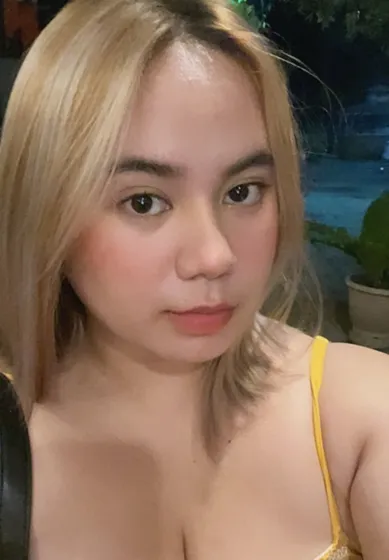
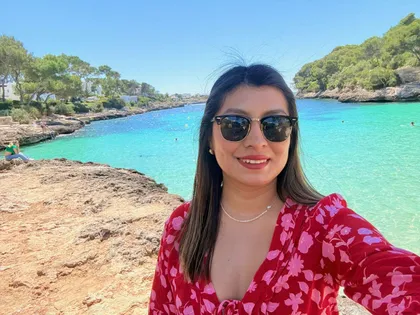
You never choose from a gallery, because matching is random. These are some of the faces that show up, so you know what the other side of the screen looks like.
 🇻🇳 Mimi
 🇵🇭 Dolce
 🇵🇪 Alessia
 🇦🇷 Azul
Free to Start, Honest About Coins
Your first match is free and you can try OmegaCam without signing up. Every day the Try a Free Match button on the match screen gives you a few short previews, and those play without sound because they are there to show you how matching feels.
Longer or premium sessions can use coins. The price is shown before you confirm, and nothing is charged without that step. If coins are not for you, the free previews and every tool on this site stay free to use.
Who Opens OmegaCam, and Why
People between calls with friends. A ten-minute break turns into a chat with someone in another time zone, and then the next break, another one.
Night owls. It is 1 a.m., the group chat is asleep, and somebody else is awake on the other side of the world. Late hours are when matching is quietest, but it is also when the conversations run longest.
Anyone practising a language. A real person answering back is a different kind of practice from an app. If you freeze when the other face appears, the icebreaker questions for video chat give you something to say in the first ten seconds.
Read This Before Your First Chat
A little preparation makes the first call easier. The video chat safety tips cover what to share and what to keep to yourself. If the browser will not give OmegaCam your camera, the guide to fixing a camera that is not working in your browser walks through Chrome, Safari, Edge and Firefox. And if you are comparing options, the checklist for sites like Omegle shows what to look for before you pick one.
Questions People Ask First
Is OmegaCam free?
It is free to start. Your first match costs nothing, you do not need an account to try it, and the Try a Free Match button gives you a few short previews every day. Longer or premium sessions can use coins, and the price is shown before you confirm.
Do I need to download anything?
No. OmegaCam runs in your browser on a phone, tablet or computer. The only prompt you will see is your browser asking whether the site may use your camera and microphone.
Who will I be matched with?
Someone who is online at that moment, one to one. You do not pick from a list. If the conversation is not for you, tap Next and you move on without any explanation.
Can I check my camera before I start?
Yes. The free webcam test, mic test and online mirror pages run in your browser, show you what the other person will see and hear, and never upload or record anything.
What if someone makes me uncomfortable?
Skip them, then block and report in a tap. The safety page lists what each control does and what we ask every user to follow.