The first three seconds of a video chat are decided by things you can fix in one minute: a lamp in the wrong place, a camera pointing at your chin, a messy shelf behind you. An online mirror lets you see all of it before anyone else does.
When it looks right, open camera chat and go.
Use Your Camera as a Mirror
Mirror Camera Online: Why It Looks Flipped
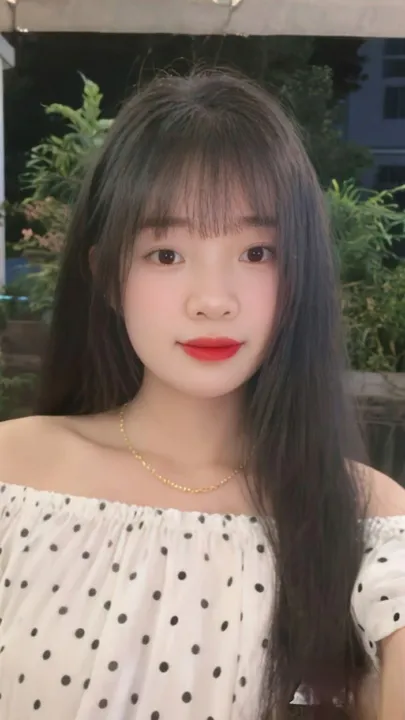
A camera records the world the way a stranger sees it. Raise your right hand and, on screen, it appears on the right of the picture. A real mirror does the opposite, and your brain is used to that. That is why an unflipped preview feels wrong the moment you try to fix your collar: every movement goes the wrong way.
So this mirror camera online flips the picture by default. Press Flip once to see the true view, with writing readable and your parting on the correct side. That second view is what the other person gets on a video call.
If you wear a name tag or a cap with text, check it unflipped. It is the quickest way to find out why people keep squinting at your shirt.
Fix Your Video Call Lighting in 30 Seconds
Good video call lighting costs nothing if you move three things:
- Face the light. A window in front of you, or slightly to one side, lights your face evenly. A window behind you turns you into a silhouette.
- Raise the lamp. A desk lamp pointing straight at you from below throws shadows upward. Put it above the screen and bounce it off a wall if it is harsh.
- Watch the light bar. The note under the mirror reads the brightness of your frame. Aim for "Lighting looks good" and nudge the lamp until it appears.
Evening calls are the hard ones. A single bulb on the ceiling makes eye sockets dark, so add a second source in front of you, even a phone torch taped to a book.
Frame Yourself: Height, Eye Line, Distance
Knowing how to set up a webcam comes down to height and distance. Turn on the Grid and check these in the mirror.
- Height. The lens should sit at eye level. On a laptop, stack the machine on a few books until your eyes land on the upper third line.
- Distance. Head and shoulders in the frame, with a little space above your hair. Too close looks intense, too far looks like a security camera.
- Background. A plain wall or a tidy shelf. Take the washing off the chair, since people will look at it.
- Eye line. Look at the lens, not at the face on the screen, when you want to seem engaged.
Why Is My Webcam Blurry? Common Causes
If the mirror is soft, work down this list before you blame the camera:
- A dirty lens. A thumb print on a laptop camera is the single most common cause. Wipe it with a clean cloth.
- Low light. In dim rooms the camera slows its frame rate and softens the picture to cope. Add light and watch it sharpen.
- Autofocus hunting. Some USB cameras keep refocusing if you sit too close. Move back a little.
- A crowded computer. Heavy tabs and downloads can drag the frame rate down.
Not sure whether it is the camera or the room? The webcam test reports your resolution and frame rate so you can tell.
Webcam Mirror on a Computer or Laptop
You do not need an app to get a webcam mirror on a computer. Allow the camera above and your laptop or desktop webcam becomes a mirror in this browser tab, on Windows, Mac or Chromebook. Go fullscreen for a bigger view while you check your hair, your collar or the outfit you plan to wear on camera.
It is a free online mirror with no sign-up, which makes it a handy mirror on a computer when you are away from a bathroom, and a quick camera to see yourself before an interview or a first call.
Looking Good? Start a Chat
One last check: say something out loud with the mic test. Then open camera chat online and meet someone new.
Online Mirror Questions
Is the online mirror a real mirror image?
By default, yes. The picture is flipped left to right so it moves the way a bathroom mirror does, which feels natural when you adjust your hair or collar. Switch the mirror off to see the view other people get.
Does the other person see me flipped?
No. In a video chat the other person normally sees you the right way round, with text and logos readable. Only your own preview is flipped, and some apps let you turn that off.
Can I use my phone as a mirror here?
Yes. Open the page on the phone and use the front camera. The button next to the camera list switches between front and back lenses on phones that have both.
Is anything saved when I use the mirror?
No. The picture is drawn on this page only and is never recorded or uploaded. The camera switches off when you press Stop or leave the page.
Is there a free mirror online I can use on my laptop?
Yes. This is a free mirror online that runs in the browser on a laptop, desktop or phone. Allow the camera and your webcam mirror appears at once, with no app to install and no account.
How do I use my webcam as a mirror?
Allow camera access when the browser asks. The picture appears flipped like a bathroom mirror. Use the grid to check your framing and Fullscreen for a bigger view.